Safe FFmpeg for Claude Code: Probe, Fit, and Verify
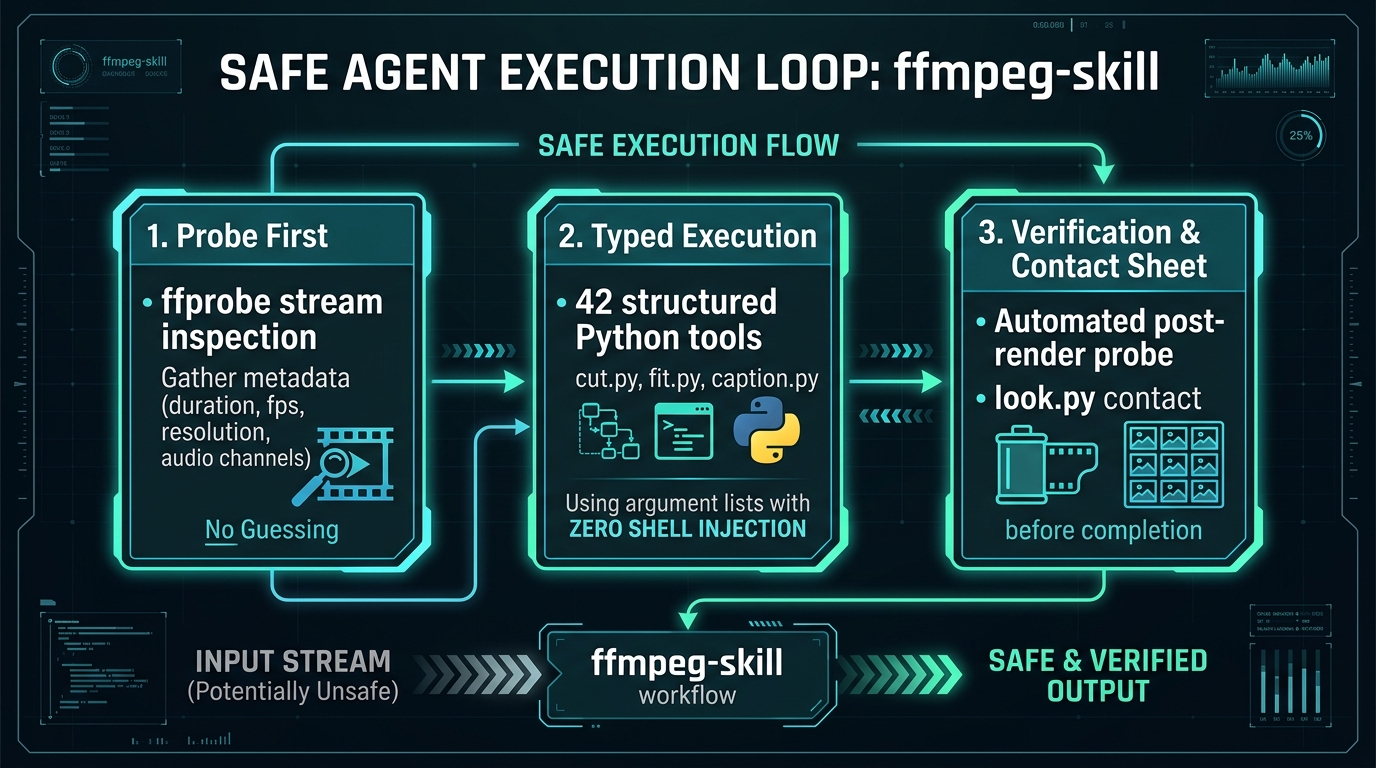
Agents invent broken FFmpeg commands. Flag order is backward. Seek parameters miss keyframes. Complex filter strings desynchronize audio or squash pixel aspect ratios. Worst of all, the agent declares success without ever inspecting the rendered file: the shell exited zero, but the resulting video is unplayable.
Prompting harder does not solve syntax hallucinations. The reliable fix is giving your agent a structured skill that enforces probe-first inspection, typed execution, and mandatory frame review before completion.
Step 0: machine preconditions
The skill is a local Python wrapper around system binaries: it never uploads files to a cloud API. Both ffmpeg and ffprobe must exist on your system PATH before you load the skill.
Step 1: install kajisho5/ffmpeg-skill
The open-source kajisho5/ffmpeg-skill packages 42 structured Python tools for Claude Code, Cursor, and Codex. It runs locally using the standard library, passing arguments as discrete lists rather than raw shell strings.
Do not start every routine session by running doctor: the skill instructions state that doctor is a diagnostic utility for troubleshooting missing tools, not an everyday prerequisite. When run, doctor outputs JSON detailing tool availability and detected hardware encoders.
Step 2: the prompt calibration rule
When prompting Claude Code for video tasks, invoke the skill explicitly and define the completion condition. An unconstrained prompt risks the model falling back to raw shell commands.
Step 3: real 9:16 vertical social cut walkthrough
Here is the exact typed pipeline Claude executes when converting a landscape 16:9 interview into a 60-second vertical Reel. Each stage uses a dedicated script that self-probes its input and output:
Stream-copy (codec copy) is lightning fast, but it only applies when cutting exactly on keyframes without changing geometry or audio levels. Because vertical fitting changes pixel dimensions and loudness adjusts decibels, those stages re-encode cleanly to avoid corrupted headers.
Frequently asked questions
- Does ffmpeg-skill install FFmpeg? No. The skill installs Python scripts and markdown instructions. FFmpeg and ffprobe must already be present on your host machine.
- Which loudness target should I use? For Instagram Reels and TikTok use -14 LUFS. For podcasts use -16 LUFS with true peak capped at -1.5 dBTP. For broadcast delivery use -23 LUFS.
- Does stream copy always cut on exact frames? No. Stream copy can only slice at keyframes. Slicing between keyframes without re-encoding causes frozen initial frames. The cut.py script snaps or re-encodes when sub-second accuracy is requested.
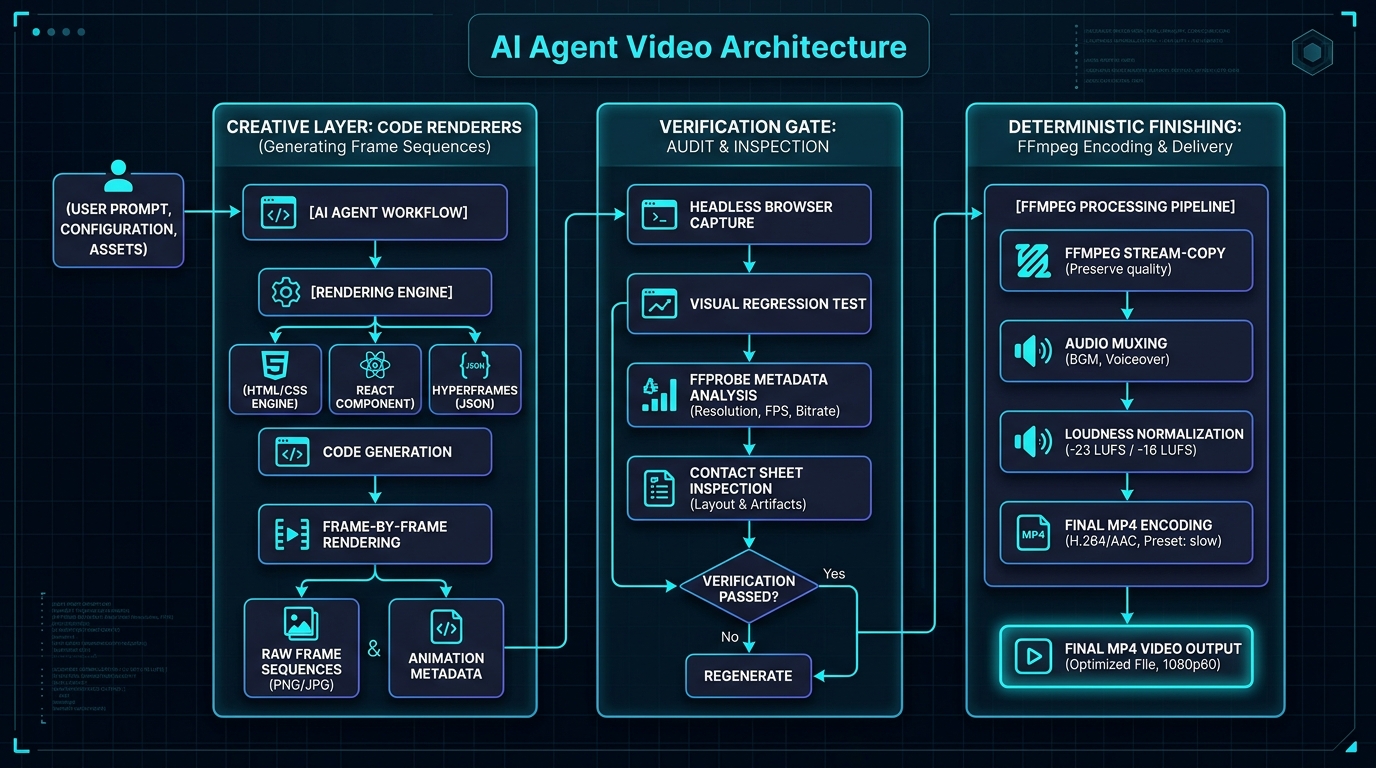
- Can this skill generate animated text from scratch? No. FFmpeg is an editor and encoder. For original motion graphics, use HyperFrames or Remotion where the agent writes HTML or React, and let FFmpeg finish the video.
Never miss a post
Updates on format changes, community features, and skill building.