Don't Run the Repo Until You Read It
A screenshot has been making the rounds. It is a PSA, not a product review. The named repo is the example. The last paragraph is the rule, and it applies to every repository you are about to run, including the ones that ship as skills.
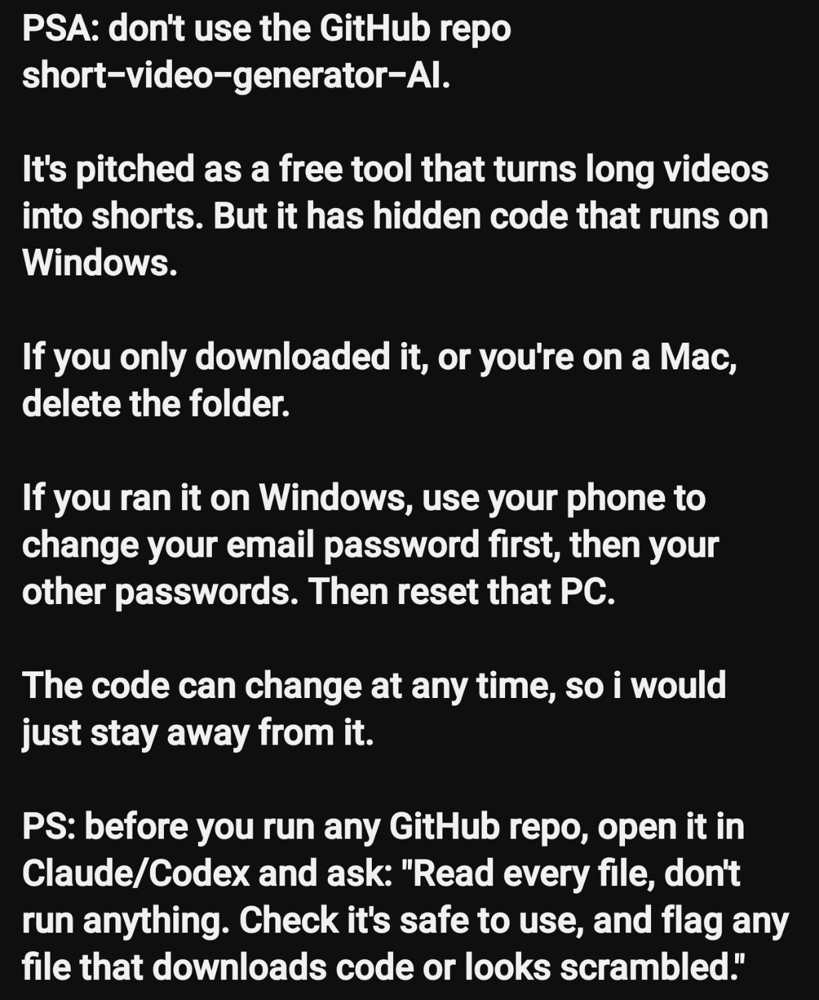
The pitch in that image is a free tool that turns long videos into shorts. The warning says hidden code runs on Windows. If you only downloaded the folder, or you are on a Mac and never ran it, delete the folder. If you ran it on Windows, use a different device to change your email password first, then the other passwords that email can reset, then rebuild that PC. The postscript is the part worth keeping: before you run any GitHub repo, open it in Claude or Codex and ask it to read every file, run nothing, and flag any file that downloads code or looks scrambled.
Star counts measure attention, not correctness. GitHub is a host, not a security review. Anyone can publish a README that looks like a product, attach a permissive license, paste install commands, and wait for people who want a free alternative to a paid video tool.
Why this bait works
The lure is almost always the same three sentences. It does a job people already pay for. It is free, local, and called open source. The install is one clone and one command.
The wrapper changes. The ask does not. Run this on your machine. Documented campaigns have used fake AI video sites to deliver the Noodlophile infostealer, thousands of lookalike GitHub repositories to deliver SmartLoader and StealC, and counterfeit Claude and ChatGPT installers to deliver a remote access tool. A skill catalog that crawls public GitHub does not change that. It only makes the README easier to find.
A README can be clean on Monday and swapped on Wednesday. A release asset can be a different binary than the source tree you just read. A post-install script can fetch a second payload that was not in the snapshot you audited. That is what "the code can change at any time" means.
What hidden usually looks like
You do not need to be a malware analyst. You need to notice files that do not belong in the story the README tells. Stop, and do not run, if you see any of these:
- A second installer, an executable, a DLL, a shortcut, or a double extension such as .mp4.exe or .pdf.exe.
- A wall of encoded text, a single-letter filename, or a license, config, or update file that is not readable English.
- A script that downloads and then executes something from a raw URL, a paste site, Telegram, or a bare IP address.
- Persistence: a scheduled task, a new service, a Run key, a LaunchAgent, or a hidden folder under AppData or ProgramData.
- A request for your email password, browser profile, wallet seed, or chat token "so the tool can post for you."
- Stars, forks, and contributors that appeared in a burst, with no real issue history.
- A README that tells you to turn off SmartScreen, Gatekeeper, or antivirus or it will not work.
None of those prove intent by themselves. Together they are enough to close the folder.
Read it before you run it
Clone is already a trust decision. Installing dependencies is a bigger one. Double-clicking a Windows helper is the line you do not cross until the files have been read. Use a session that cannot execute the repo. A model with a shell on your laptop is the wrong reviewer.
Read every file in this repository. Do not run anything. Do not install
dependencies. Do not follow README install steps.

Tell me:
1. What the project claims to do, in one paragraph.
2. Every file that executes, downloads, decodes, or writes outside the
   project folder.
3. Every network call, including package indexes, model downloads,
   telemetry, and raw URLs.
4. Any obfuscated, minified, or scrambled file, and what it appears to be.
5. Any Windows-only, macOS-only, or hidden helper the README does not mention.
6. Whether a later git pull or a release asset could change what I just read.
7. A go or no-go recommendation, with the exact files that drove it.

Flag uncertainty. Do not give me the benefit of the doubt.
Then do the five checks a model will miss. Pin the owner, repo, and commit you read. An update is a new review. Read the tree, not the README, including scripts, workflows, and anything named install. Check what the package manager will fetch, because a clean repo can still pull a bad package. Prefer a source commit you typed over a Download button on a lookalike page. Run strangers in a disposable machine, or not at all.
If the model says it looks fine and you have not opened the flagged files yourself, you did not finish the audit. The builder cannot grade its own homework. Neither can a single pass from the same agent you will later ask to install the project.
If you already cloned it
Match the PSA. Do not get clever on the same machine.
- You downloaded the folder and did not run it. Delete the folder. Empty the trash. That is the whole job.
- You ran it on Windows. Use your phone. Change the email password first, because email is the recovery path for everything else. Then change GitHub, Google, banking, and cloud passwords, and revoke sessions. Then rebuild the PC.
- You are on a Mac and only cloned it. Delete the folder. If you ran a command file, a package, or a curl-to-shell installer, treat it like the Windows case.
Changing passwords from the computer that just executed untrusted code is how the new password gets taken too. That is why the PSA says to use your phone first.
Skills make this sharper, not safer
A skill is instructions your agent will follow. A GitHub repo is often how that skill arrives: a SKILL.md, plus scripts, plus a README that says npx or pip install. The five-minute skill audit still applies. This article is the layer under it. If the skill folder contains a binary, a downloader, or a helper the SKILL.md does not name, the skill fails the audit. Stars in a catalog do not change that.
Never miss a post
Updates on format changes, community features, and skill building.